A drawer at the edge of your screen
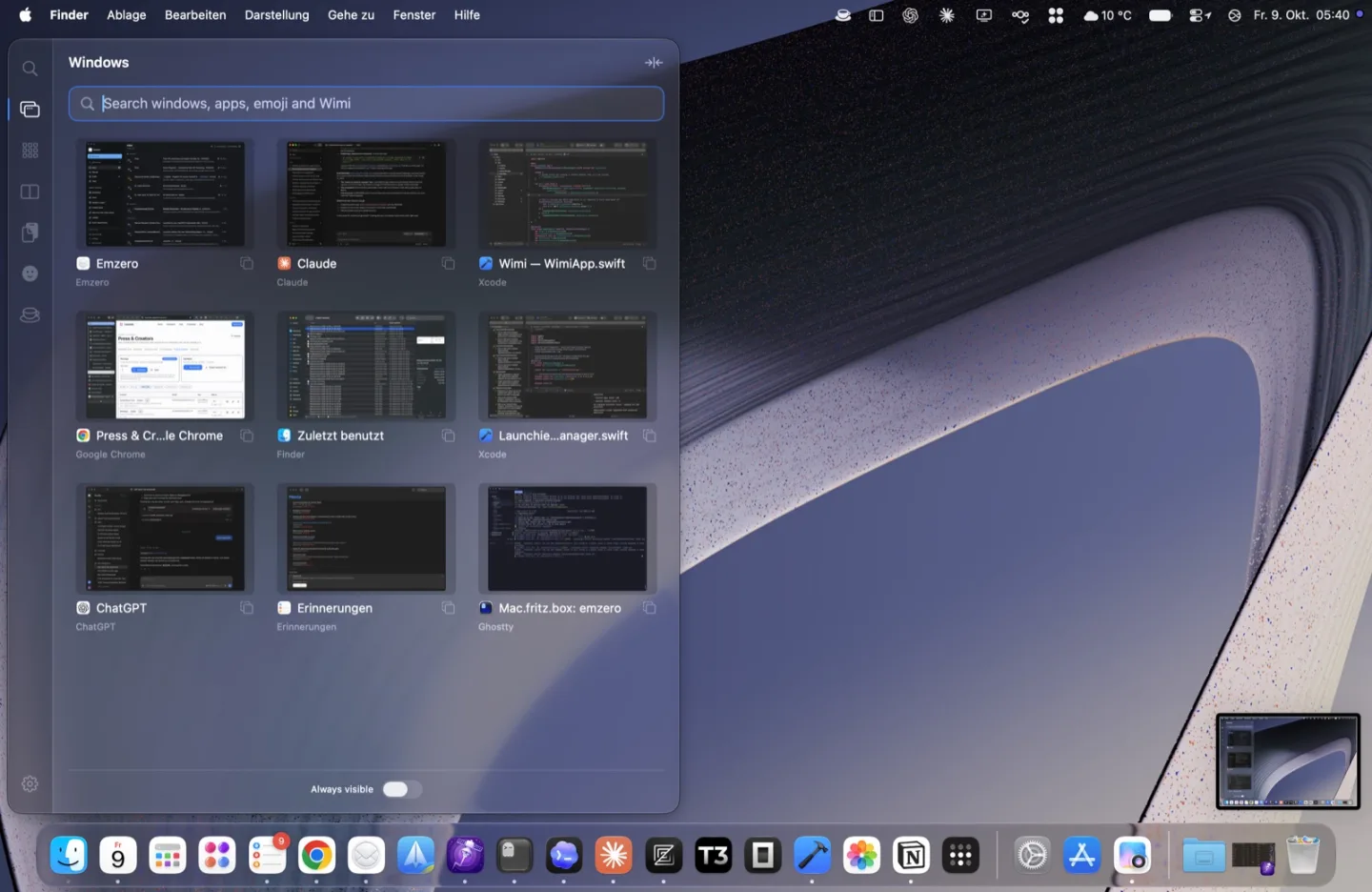
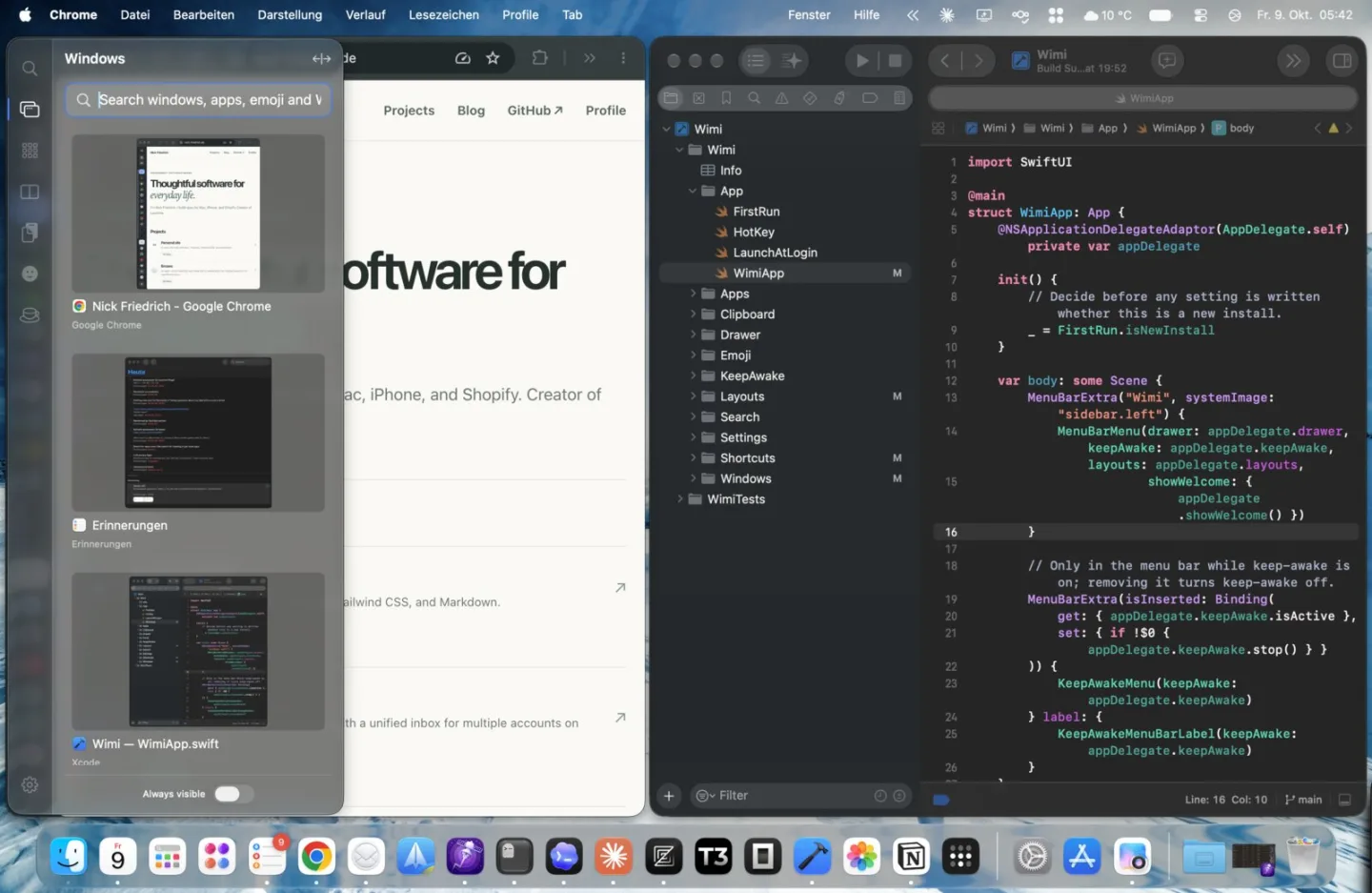
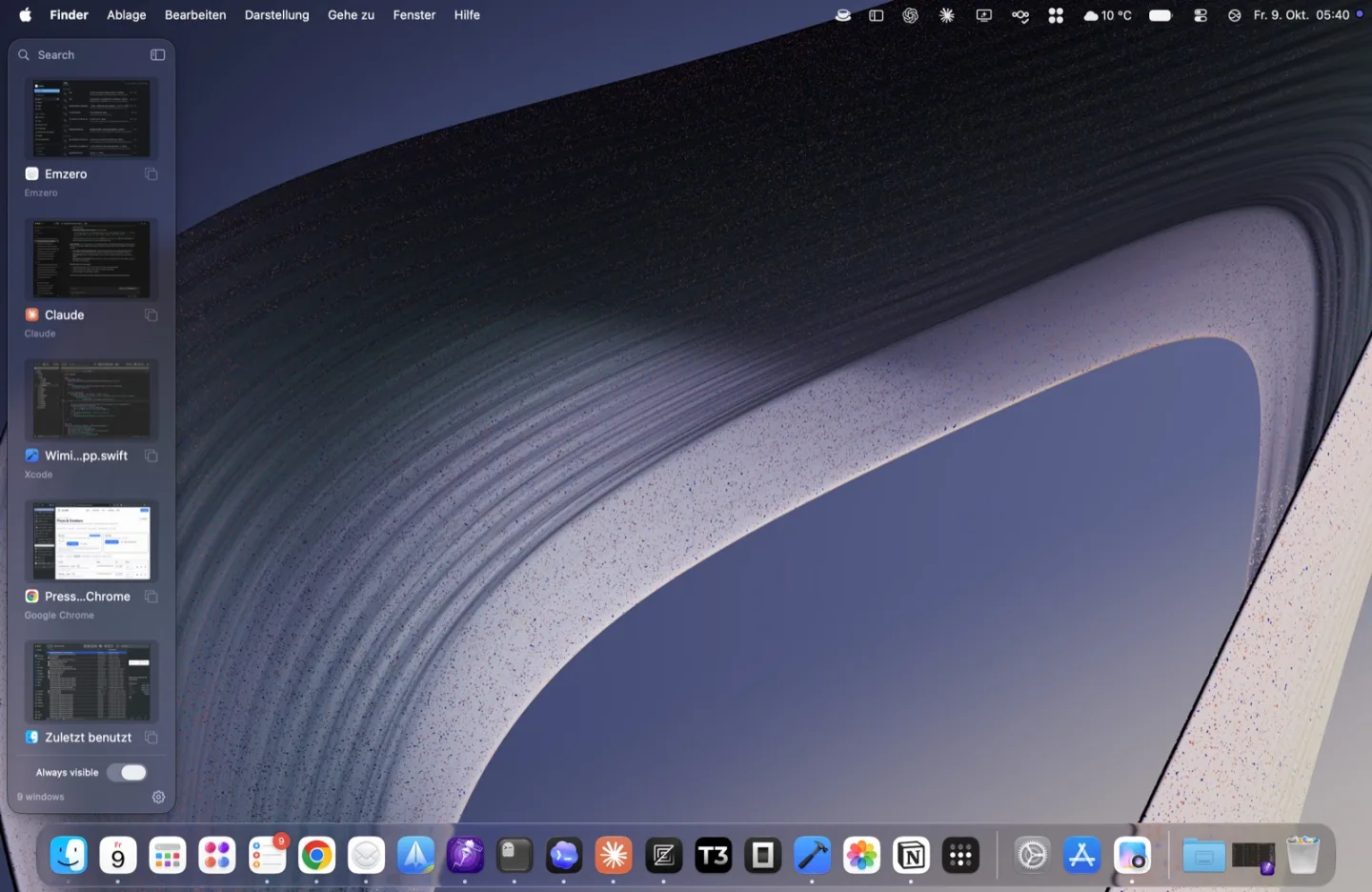
Rest the mouse at the left or right edge, or press a shortcut. The drawer slides in on whichever display you are using and gets out of the way when you leave.

macOS menu bar app · Free beta
Wimi slides in from the edge of your screen to switch windows, snap them into layouts, launch apps, search, and paste from your clipboard history.
macOS 14 Sonoma or later · Apple silicon and Intel · Notarized by Apple
What it does
Most window tools are invisible shortcuts you have to remember. Wimi shows you what is open and where it can go, then stays out of the way.
Rest the mouse at the left or right edge, or press a shortcut. The drawer slides in on whichever display you are using and gets out of the way when you leave.
See all open windows at once and pick one by sight. Hold ⌥Tab to switch, or start typing to search.
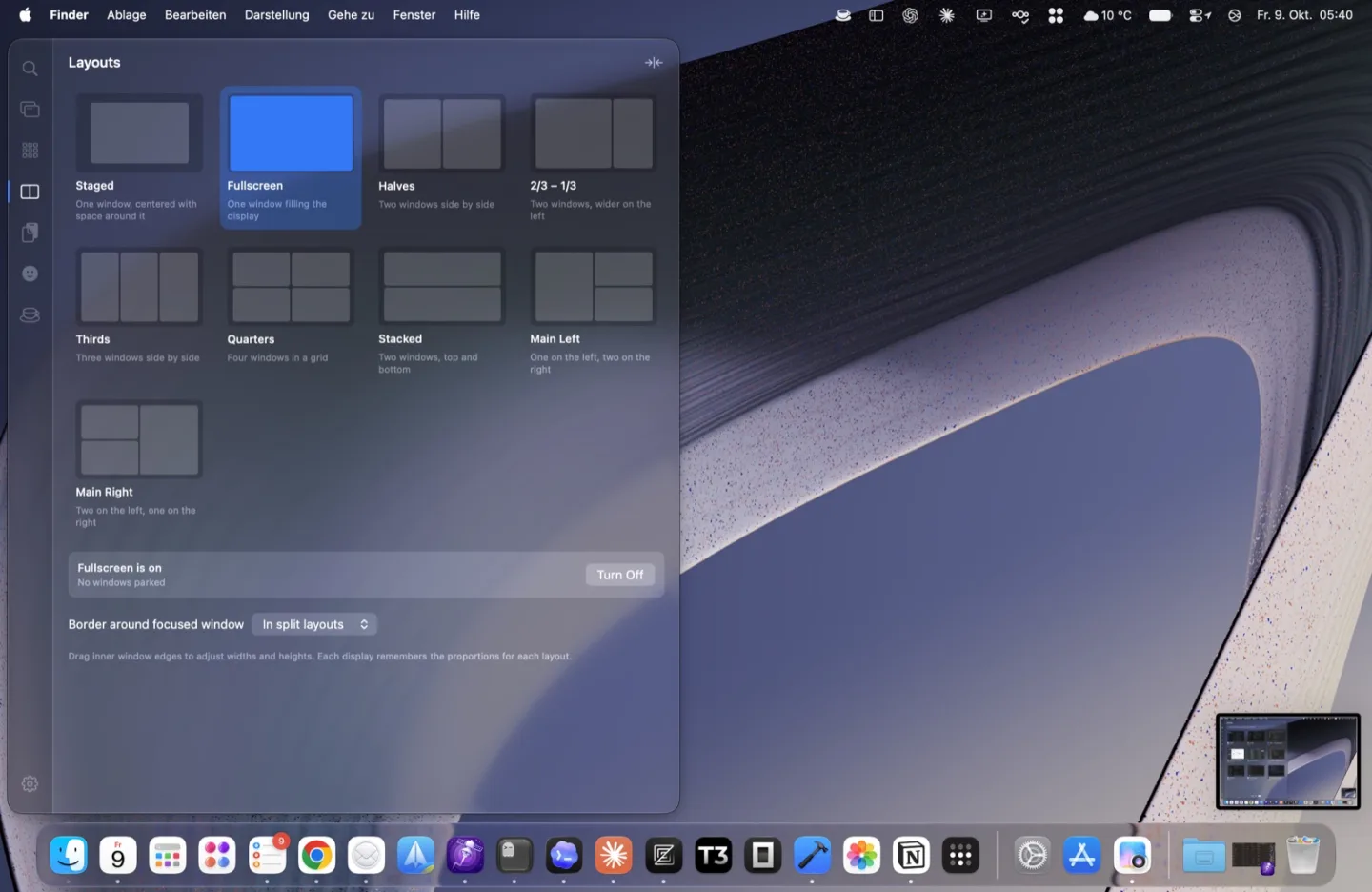
Halves, thirds, quarters, stacked and main + side layouts per display. Drag a window onto a slot, or move, swap and rotate windows from the keyboard.
Windows, apps, layouts and actions in a single list. Start typing anywhere in the drawer.
An icon grid that learns which apps you open most, plus an emoji picker with recents.
Off by default. When you turn it on, your history stays on your Mac.
Also included: Keep Awake, and an optional Hyper key that turns Caps Lock into ⌃⌥⌘ for your own shortcuts.
Pricing
Wimi is free to use during the beta. With version 1.0 it becomes a one-time purchase with a 30-day free trial. No subscription and no account.
Launch list
One email when Wimi 1.0 launches, with your discount. Maybe one or two before that about big betas. Nothing else.
The launch list opens soon. Until then, say hello on GitHub.
Wimi’s only network request is a daily update check, which you can turn off. Window history and clipboard data never leave your Mac.
Feedback shapes the beta. Open an issue on GitHub or reply to any Wimi email.